What's New in AzureRM 5.0: Upgrading 4.x Without Breaking Prod
By the end of this post your 4.x Azure Terraform config is running green on AzureRM 5.0, through every breaking change the bump throws at it, without breaking production.
So what actually changed in 5.0 that matters? Three things:
- How the provider registers resource providers
- Breaking changes in resources/some resources being removed
- A new preflight check.
I will show you exactly where each one bites and how to get past it. This is not a changelog read-through. It is the upgrade, done for real against a live subscription.
My assumption going into this is that the resource-provider registration rules are the thing that breaks your configuration first. There are two ways to fix that, and I will show you both: the quick and lazy one, and the more controlled one you actually want in production.
The upgrade in three phases
Phase one: get back to init and plan. The number-one fear when you bump to the latest version is that suddenly you cannot even initialize anymore. We make sure you can init and plan again and keep working with your config.
Phase two: pull failures forward, and dodge the silent trap. I will show you failures you may not have seen before once you are on 5.0, how to fix them, and what I mean by a silent validation trap you can fall into without noticing.
Phase three: breaking changes inside resources. Some resources behave a little differently after the bump. That ranges from resources being removed outright to breaking changes in the fields of a resource. Sometimes the fix is to re-import something into state, and I will show you exactly when and how.
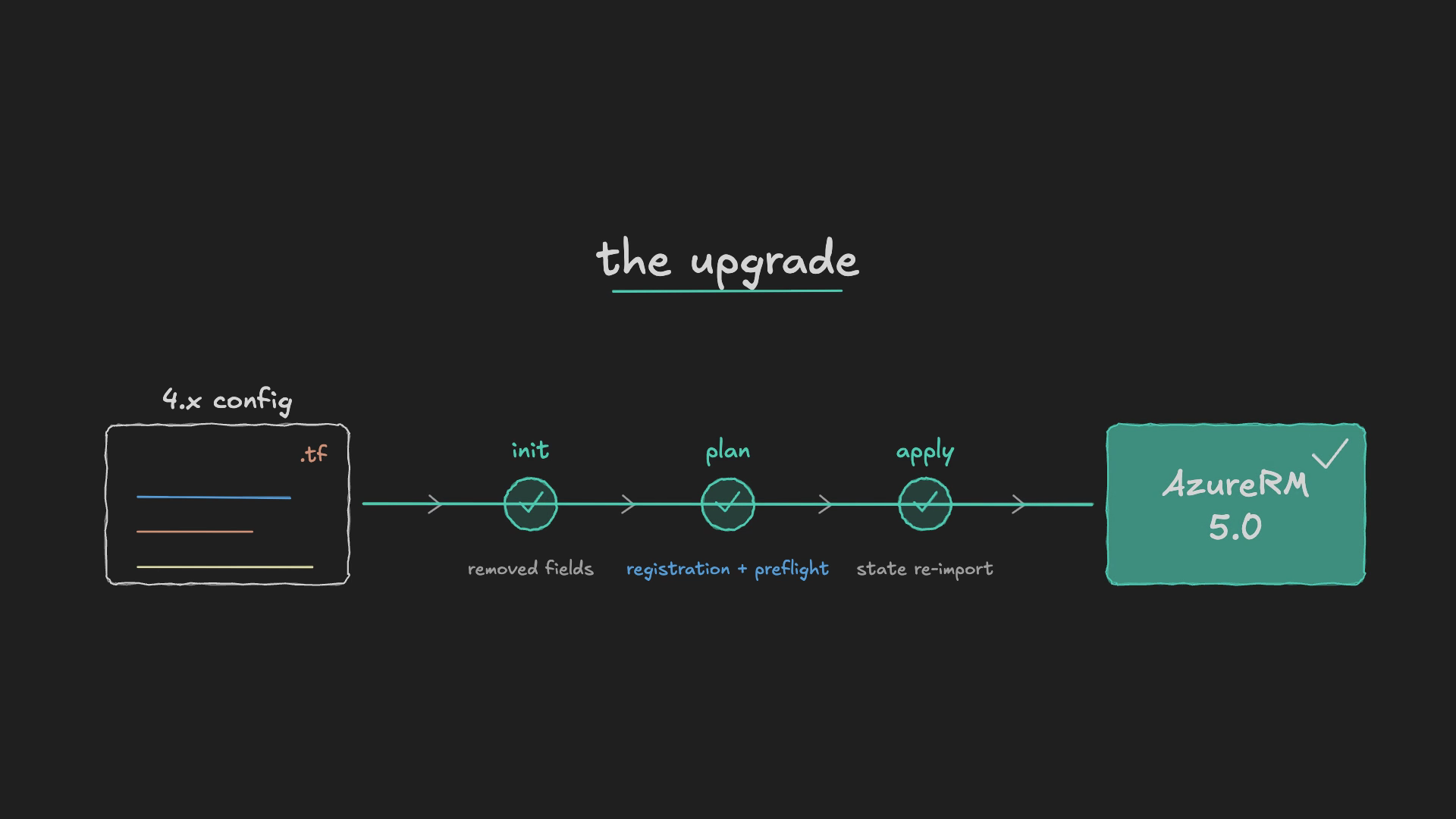
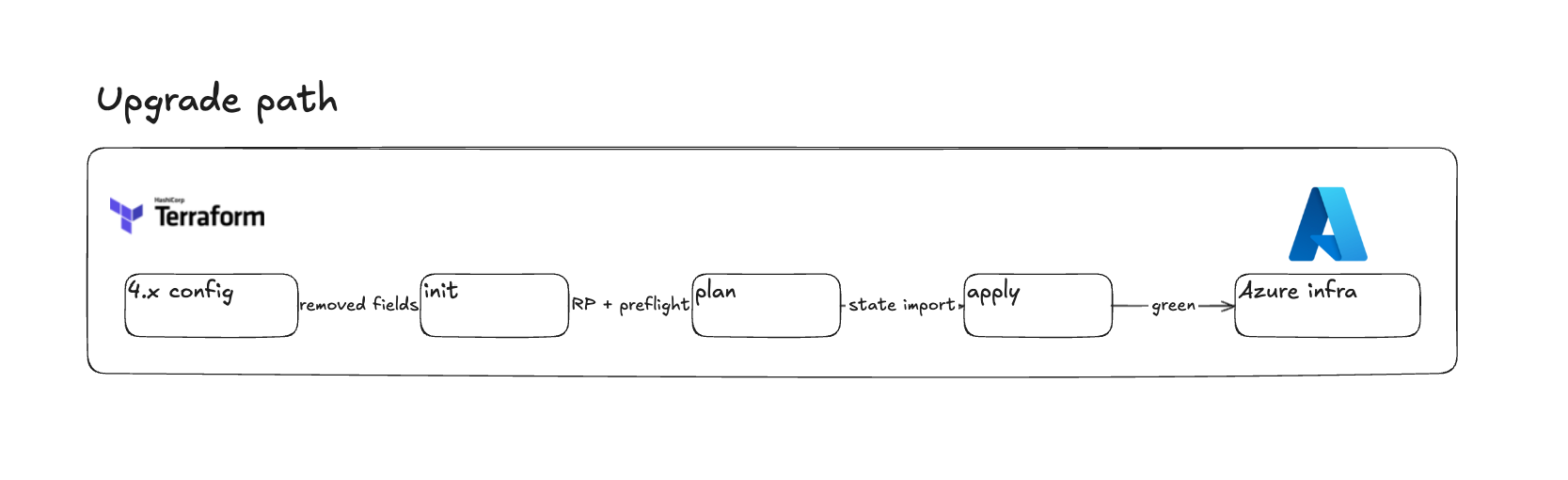
Your upgrade path looks a bit like this. You start with your 4.x config. Some resources have changed in place: a removed field, a renamed field, a property that moved. You get to the init step, and that is where you may see things change with resource providers, plus the new preflight check. Then you reach plan, where you may have to do some state imports. Finally apply finishes green and your Azure infra is deployed, ideally without breaking anything in production, especially if you have stateful resources like a storage account where that would be genuinely painful.
What a resource provider actually is
If you do not know what a resource provider is, here is the quick version. Everything that is a resource in Microsoft Azure is registered under a resource provider. A virtual machine lives under Microsoft.Compute. A virtual network lives under Microsoft.Network.
In the past, whenever you created a resource and did not have its resource provider registered, Microsoft would register it for you automatically. Terraform did the same: if the provider was not registered, it registered it for you. But there are cases where you do not want that to happen. Maybe you do not allow certain resource types to be created at all, and that is exactly where you would want to control resource-provider registration yourself.
Some 4.x code is just gone
Before we bump anything, one thing you have probably already noticed. If you have visited the AzureRM documentation for azurerm_app_service recently, you would have seen a redirect telling you to use azurerm_linux_web_app or azurerm_windows_web_app instead. You have been able to deploy either of those in place of the now-legacy azurerm_app_service, and it worked.
If you upgrade to 5.0 and you are still using that legacy resource, it does not exist anymore. Your config will not even parse. That is a rewrite, not a rename, and it is a problem you need to resolve before anything else.
The AzureRM upgrade guide documents this in detail: removed resources, removed data sources, and breaking changes inside the resources that survived. It is worth reading through to see if anything you use is affected. See the AzureRM 5.0 upgrade guide for the full list: https://registry.terraform.io/providers/hashicorp/azurerm/latest/docs/guides/5.0-upgrade-guide
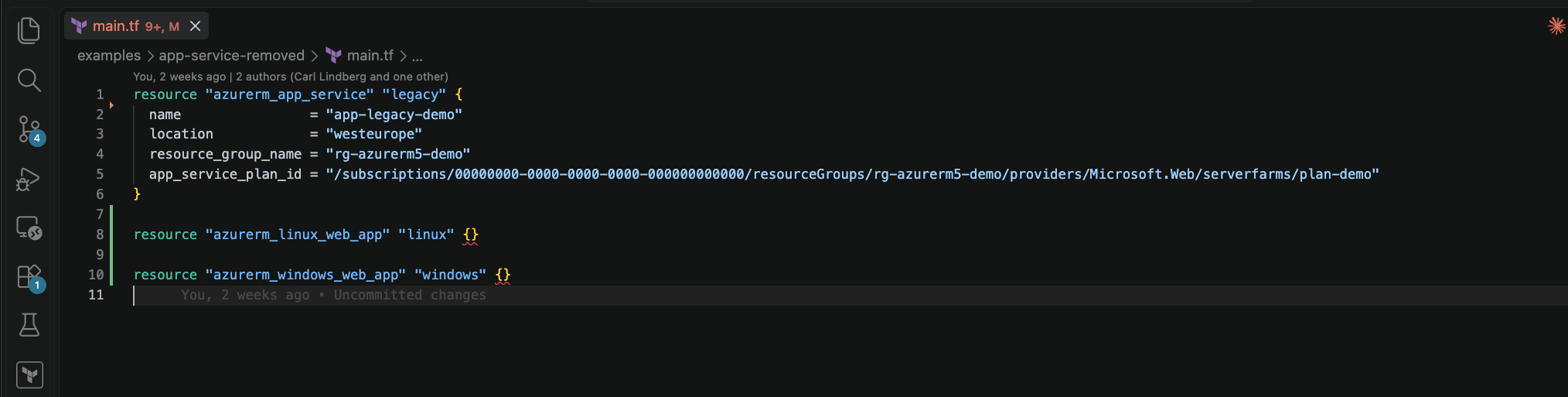
azurerm_app_service no longer works after upgrading to 5.xPhase 1: get it to init and plan again
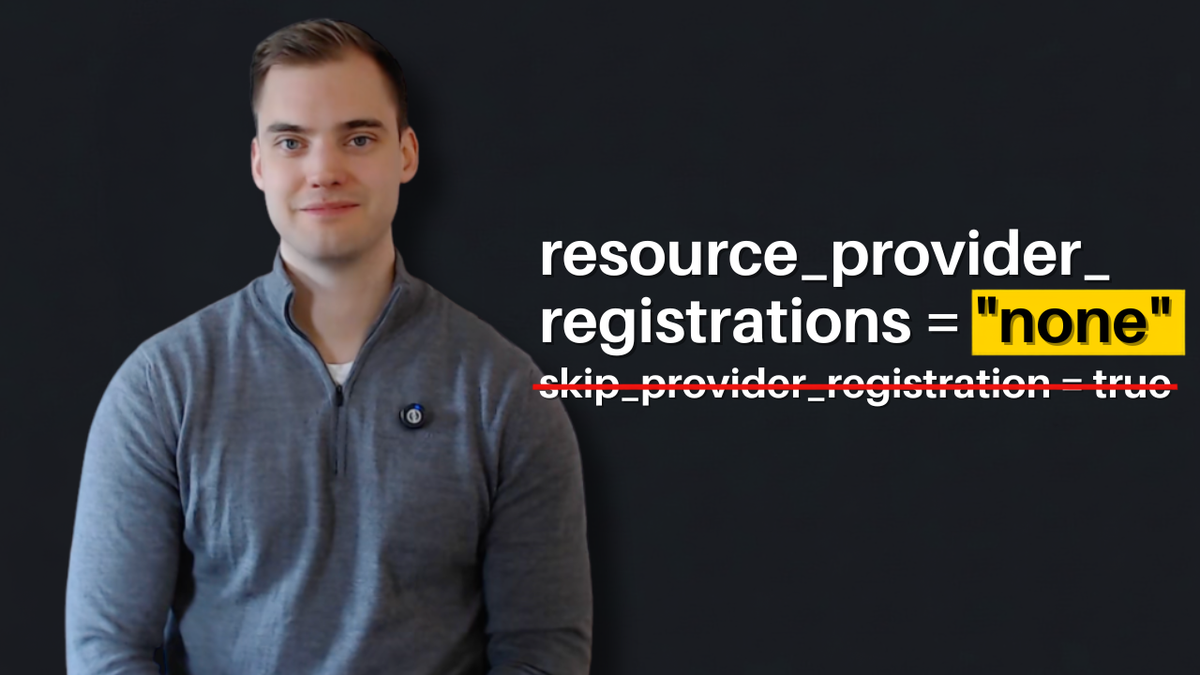
So you upgrade. What is the first thing that happens? As soon as you bump the provider version to 5.0 or greater, the first thing that hits you is that skip_provider_registration is no longer a setting in the provider block. If you leave it in, you get an unsupported-argument error inside your provider block.
The easiest fix is to just remove the setting. But does that fix all your problems? Not quite. It depends on your configuration.
Here I have removed that legacy setting and I run an apply that creates an EventGrid namespace. I get an error thrown at me: because I am on the new default behavior, I am now required to tell Terraform which resource providers to register. In my case Microsoft.EventGrid was not registered, and the old legacy behavior would simply have registered it for me and deployed the namespace. With the new hardened default it throws an error instead, and I have to fix it.
How do I fix it? Two ways.
The controlled way is to add resource_providers_to_register and list exactly what you use, for example ["Microsoft.EventGrid"]. Now Terraform can deploy resources under that namespace. This is a very deliberate way of deciding what can and cannot be deployed. The cost is that you have to be granular and keep an up-to-date list, which in my opinion is fine. It depends on how much control you want.
The lazy way, if you do not want all that control, is to set resource_provider_registrations = "legacy". That defaults back to the old AzureRM behavior of auto-registering everything.
My recommendation: try to get the controlled version working. Try to unlock it, because it can increase the security posture of your environment. Maybe you are adopting Azure as an organization and you have not cleared every resource type yet. Maybe you do not want your landing-zone administrators deploying an application gateway that allows internet traffic before you have policies in place. Limiting the resource provider is one way to keep those resources from being deployed until you are ready.
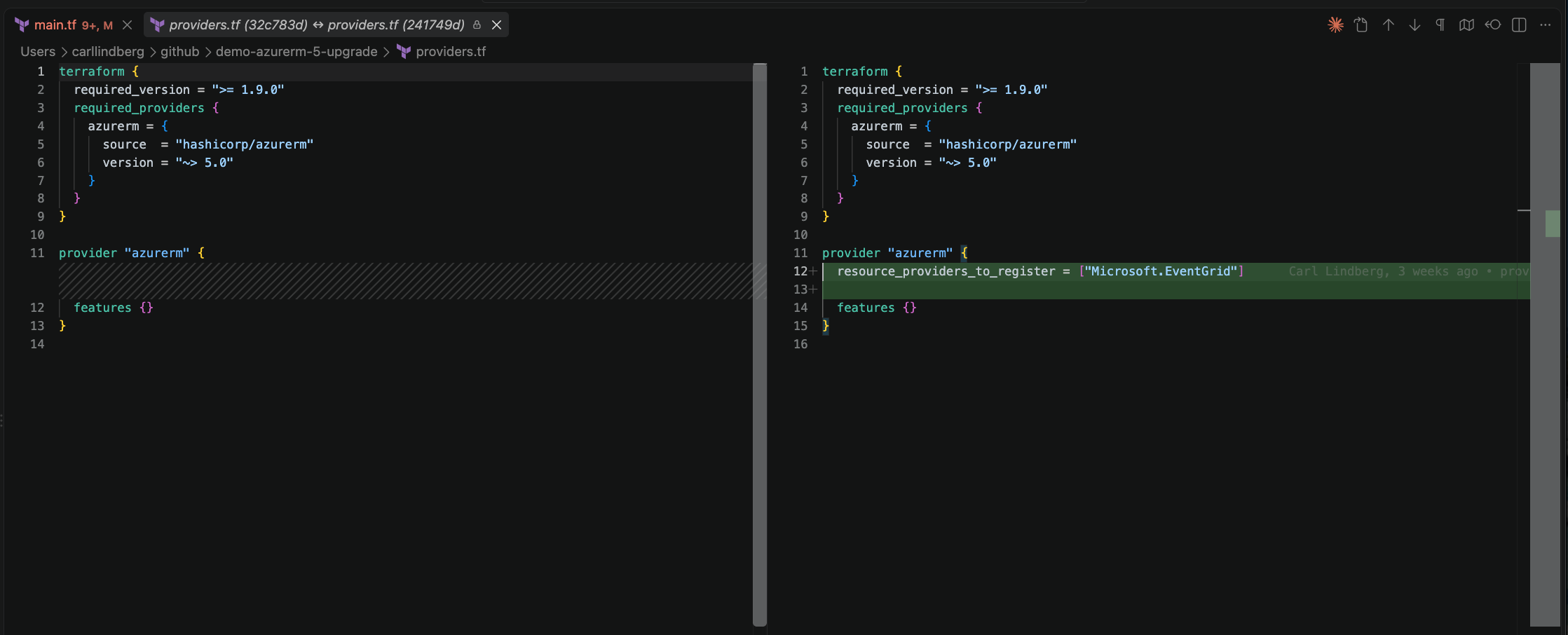
Phase 2: pull failures forward with preflight
Now the second phase, where I want to talk about preflight. I will show you how to turn on preflight validation, and then a validation trap you could fall into.
Quickly, if you do not know what preflight is: if you have worked with Terraform for a while, you know a terraform plan can succeed while the apply fails. Some things are checked at plan, mostly whether the syntax is correct and whether the properties you used actually exist. But plan does not always call the cloud provider's API to verify you are following that cloud's rules. A classic example is a storage account name that exceeds the maximum character count. At plan that can pass, because the property exists and the syntax is fine. At apply you actually contact the Azure API and it throws an error. Preflight is meant to catch those things already at plan, so you save time.
How do you enable it? Inside the AzureRM provider block, where we now set resource_providers_to_register, you go into the features block and add enhanced_validation, and inside that set preflight to true.
With preflight enabled, if I set the location on a resource to antarctica. That is not an Azure region as far as I know. I run a terraform plan, not an apply, and I get a ResourceValidationFailed error telling me the location does not exist. Without preflight this would have passed plan, because it is syntactically correct and location is a valid property, and only failed later at apply.
The silent trap
That is great. But here is the trap. Not every resource that AzureRM can manage supports preflight validation, and not every setting is covered.
Take the same demo and this time misspell the storage account location as westeruope. Run plan again, and it does not fail. It went straight through. If I ran an apply, it would have failed, and I would have already wasted time on a plan I thought was good.
The reason is that preflight is only supported by a subset of resource types. Unsupported resources are silently skipped. Right now the supported set is six resource types, and storage account is not one of them. That is why my misspelled storage location was never caught.
Two honest notes here. First, preflight is not brand new to the ecosystem. The azapi provider has had preflight validation for quite some time, and more generically, across far more resources. AzureRM 5.0 is catching up rather than inventing something. Second, preflight calls Azure during plan, so it needs valid Azure credentials at plan time. If you run Terraform through CI/CD you are most likely using a service principal that authenticates through the Azure CLI anyway, so that is not really a change, but it is worth knowing.
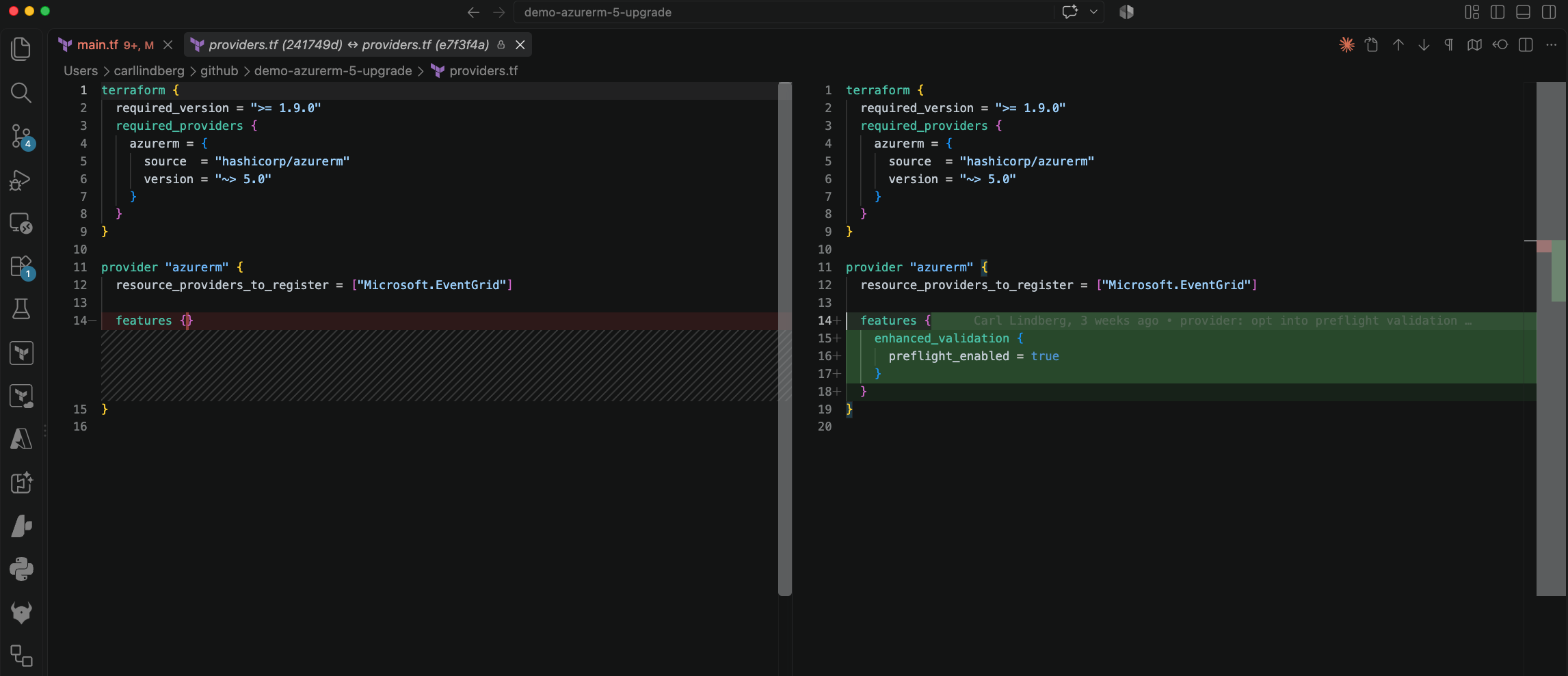
Phase 3: breaking changes inside resources
For the third and final phase I want to talk about breaking changes inside the resources you already have, and how to deal with them.
A classic example is the static website inside the AzureRM storage account. Previously your azurerm_storage_account had a static_website property block where you configured a static website hosted in Azure Storage. When you upgrade to 5.0, that entire block goes away from the storage account and becomes its own resource: azurerm_storage_account_static_website, pointing at a storage account ID.
When something like this happens, you may have to run terraform import. Either from the CLI or through configuration-driven import blocks. I point the import at the resource and supply the storage account's resource ID.
Then there are the more obscure changes that are hard to foresee. Here is an azurerm_key_vault from the 4.x era with a property called enable_rbac_authorization. After the upgrade the same resource calls it rbac_authorization_enabled. They flipped the order and changed enable to enabled. These are the kinds of renames that bite you at plan, and again, the fix is to check the upgrade guide's breaking-changes section for the resources you use.
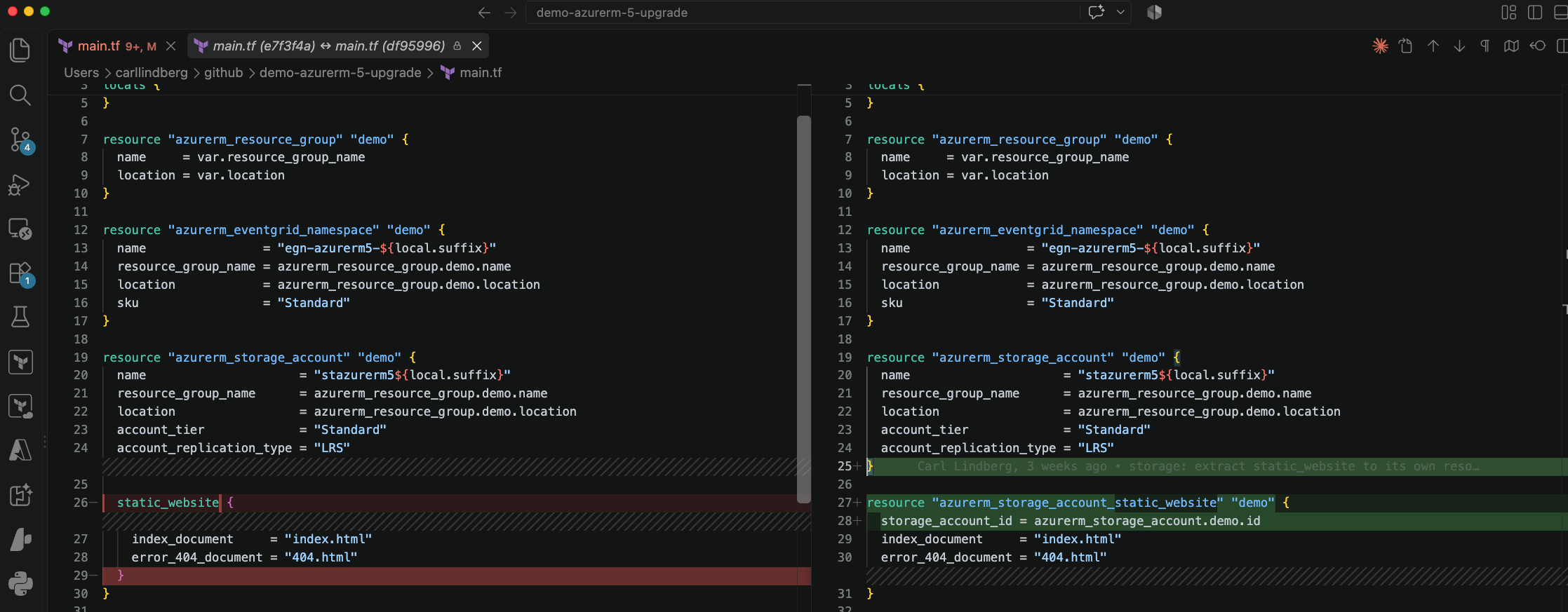
Green on 5.0
Once you have addressed everything above and enabled the new settings, you run a terraform apply to make sure your state agrees with what is in your cloud environment, that all the new providers are registered, and that the versions are correct. You want to land where your infrastructure matches your configuration. Once you are there, it is happy days.