The Ultimate Guide to Agentic AI
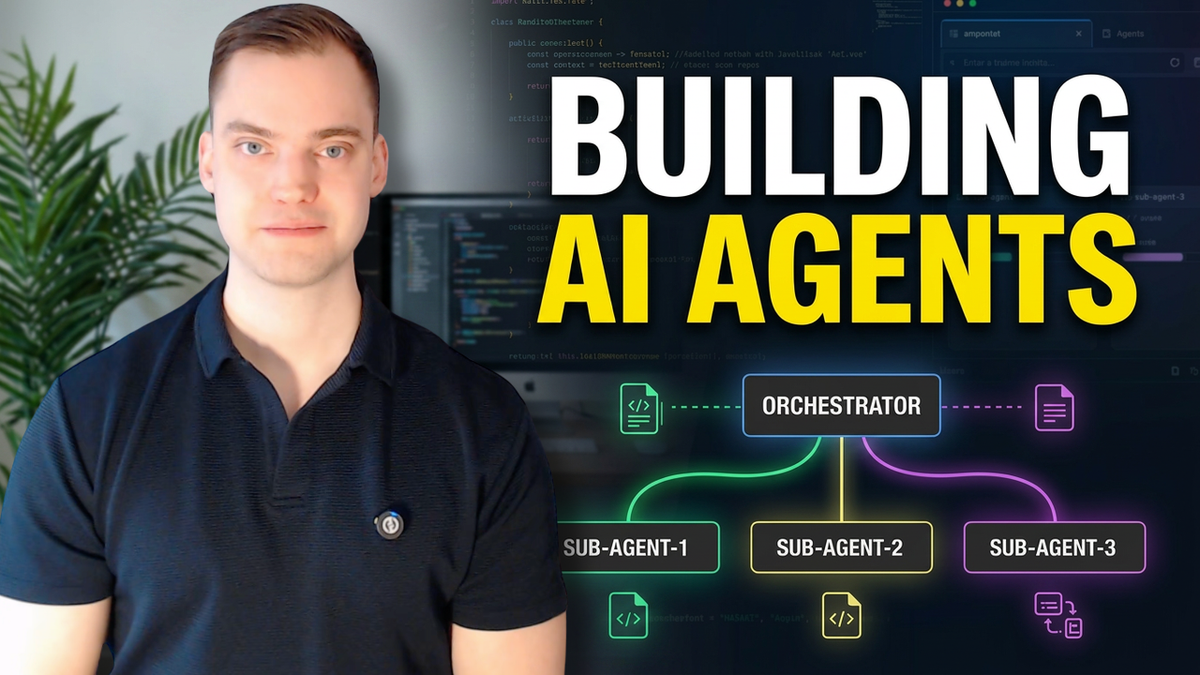
Everyone keeps saying agentic AI, but not a lot of people can tell you what actually makes an AI agentic. In this post I want to walk through four things that separate a real agent from a glorified chatbot: the loop, the building blocks, how you actually drive them, and how to scale around the one thing that really limits them.
I'm Carl Lindberg, a Microsoft MVP, and agentic AI has changed the way I work massively. I want to show you exactly what I use in my day-to-day. Pay extra attention to the "how to drive" section later on. It demands an hour or so up front, but it saves you a wasted afternoon every single time after.
What "agentic" actually means
A chatbot is one turn. You write a message, the LLM reasons about it, you get a response back, and that's it. One message plus one reply is one turn.
When we slap the word agent on top, we can demand something completely different. With agents, we're no longer working with a simple turn-based conversation. We introduce what's called the loop. The agent can receive your message, think about it, decide it needs more information, and perform actions based on what you sent and on what it has already observed.
Those actions can be things like going onto the internet to fetch information, reading files in your repository or project, reading a past decision document you've created somewhere to get more context about your question, writing files, or running commands in your terminal. As an example, I use agentic AI to check out a new branch, commit to a repository, and open a pull request. That's something an agent can do.
The model is still the brain. Whether you're using Opus or one of ChatGPT's versions, the model still does the thinking about what happens. It thinks about what you sent, what it needs to do, it reads files, it goes onto the internet. It's already much more powerful than a simple chatbot.
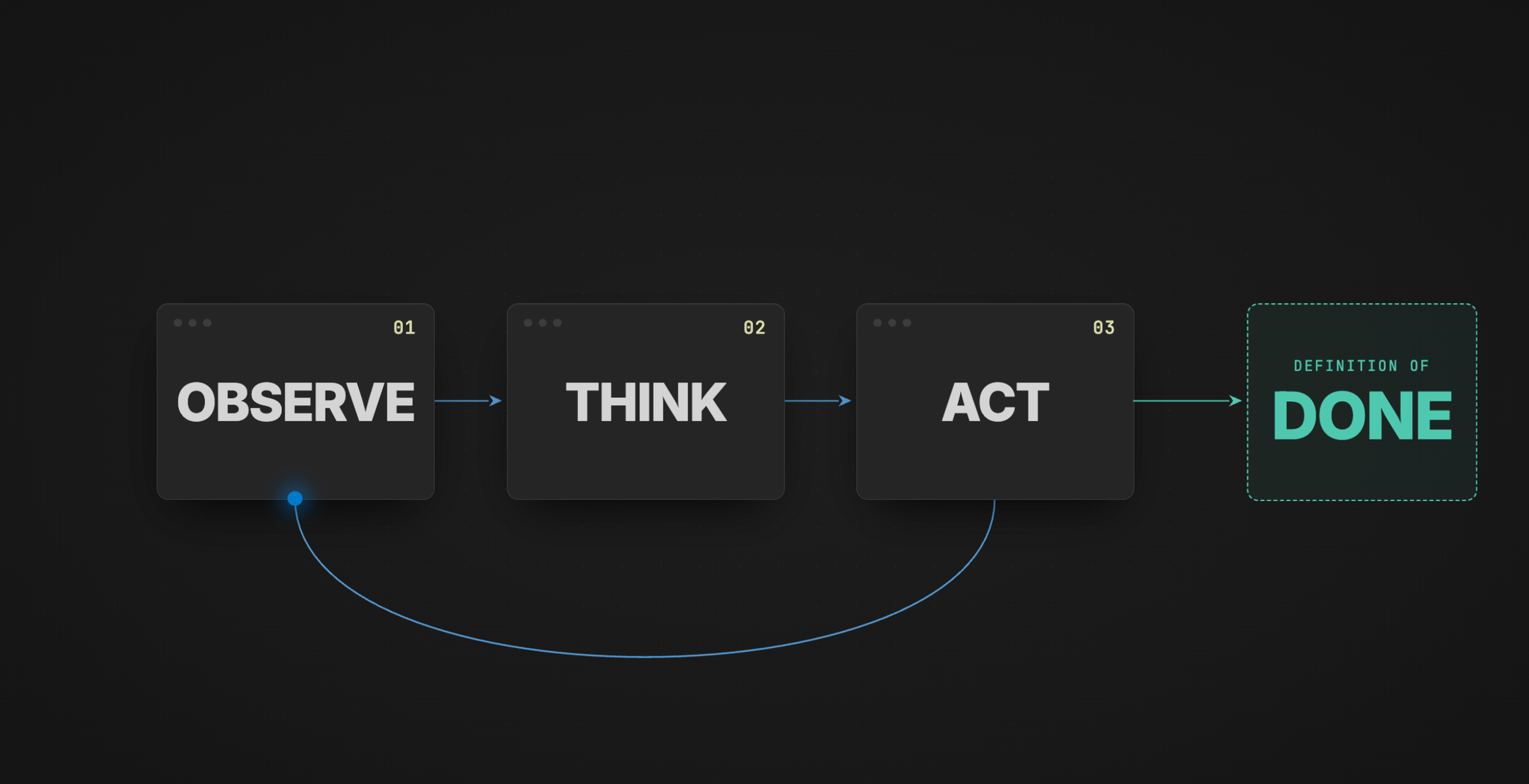
A quick tip: when you're working with AI, even with a chatbot, it's a good idea to include a definition of done. Otherwise this loop can continue for longer than it needs to, or end earlier than it should. If you don't define one, the LLM has to invent its own, and depending on what you're using it for, that's often not what you want. More on this later.
To make this concrete, here's a very basic example. I have a project open and I want to figure out what it is. I have a chat interface in VS Code (think of it as my AI application). I ask it: "Can you tell me about the contents of README.md? Give me a super short one-paragraph summary and place it inside a new markdown file."
That's already using an agentic capability. The agent reads the file, thinks about my request, and creates the file. The flow is: think about what I said, decide what to do, then do it. A definition of done for this one is overkill, but to show the shape: "You are done once there is a new markdown file containing the one-liner."
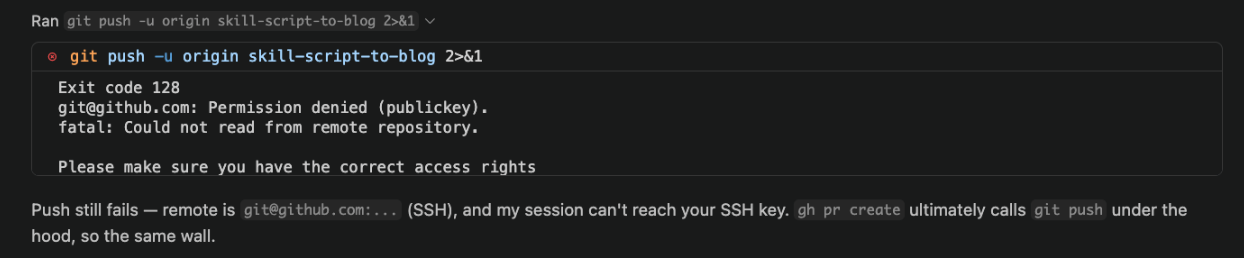
git push and saw the output, thought about it, and told me what happenedThe building blocks: agents and skills
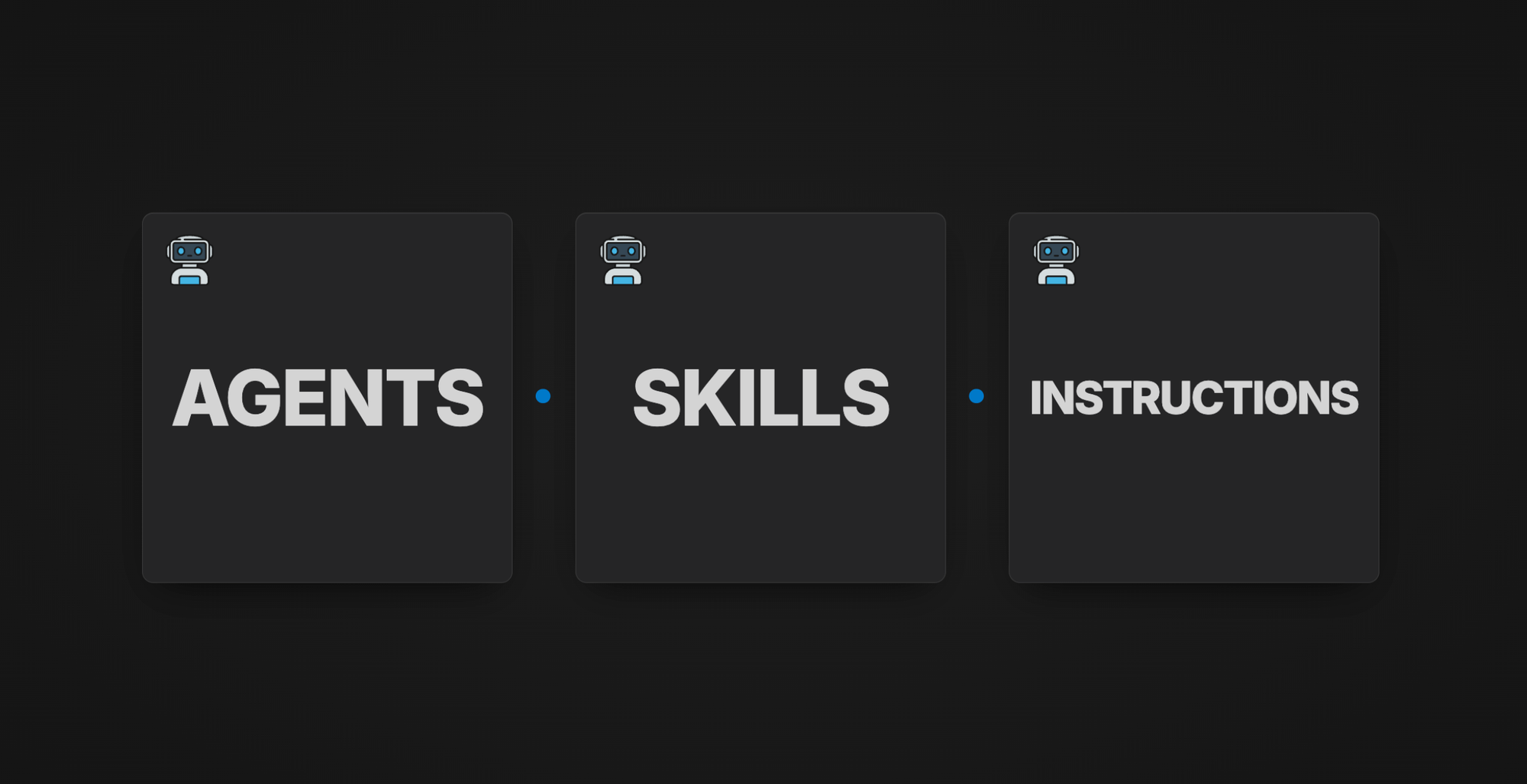
I usually think of an agent as a professional I would hire. Think of a programmer, or more specifically an infrastructure-as-code expert, or even more specifically a Terraform expert. Skills are the playbooks that professional reaches for when they need to do specific recurring jobs. In the most simple explanation you could say that a skill is just a prompt (but smarter :) )
If our Terraform expert isn't writing modules right now, he doesn't need the "module refactoring" skill loaded into his head along with all of its instructions. He only wants it when it's relevant. That's the same way you work in your day job: when you're scaffolding a new project, you're not also thinking about how to turn it into reusable modules. You'll think about that later, when you actually need to.
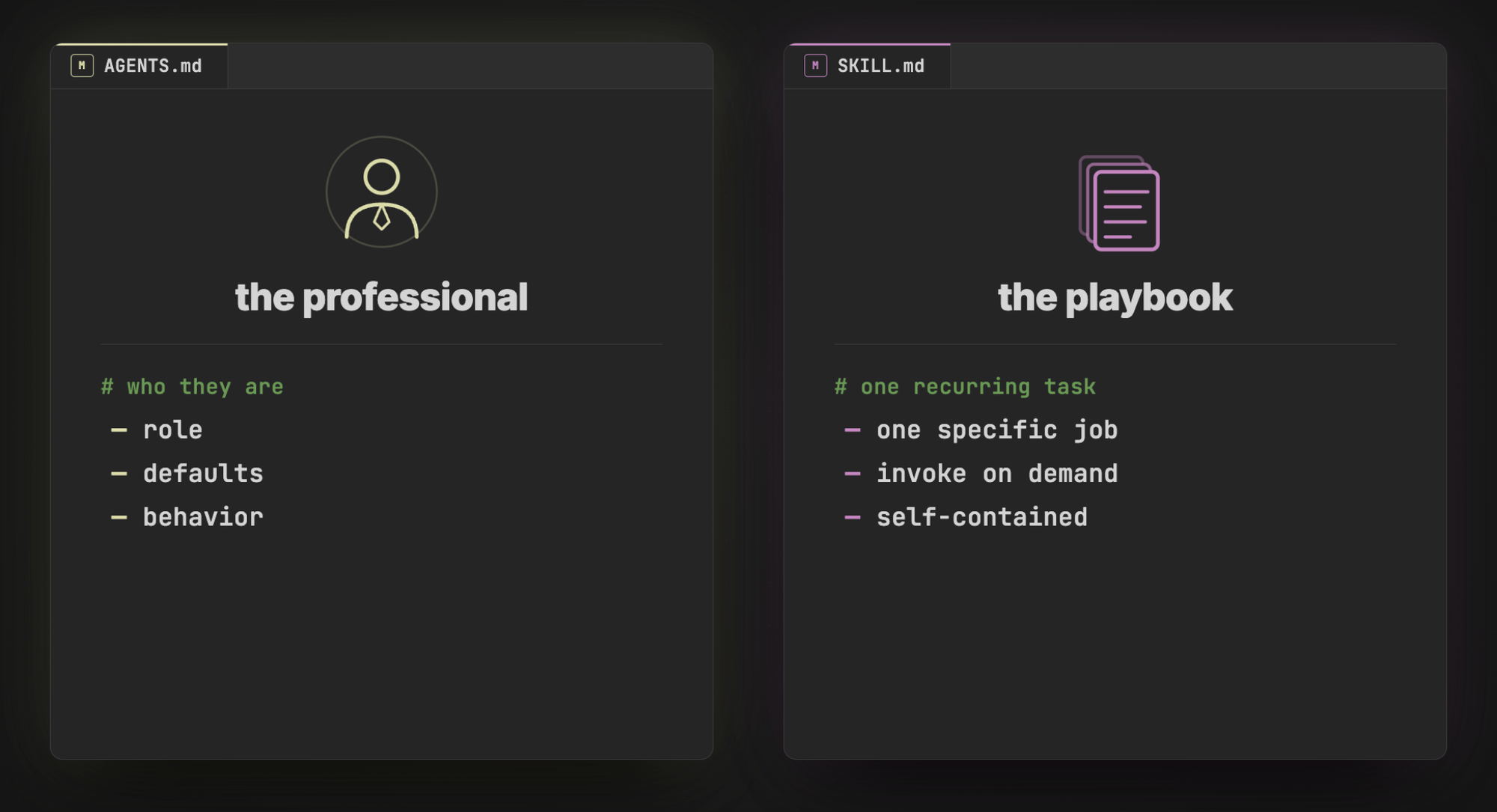
AGENTS.md: the role file
If you're working with GitHub Copilot, the convention is AGENTS.md. With Claude it's CLAUDE.md, and Google's Gemini uses GEMINI.md. Different names, same idea.
The important thing to understand is that this file is read every time you initiate a new session. It sits right below the system prompt and right before your first prompt into the agent. To illustrate this, I once added a line to mine: "Whenever I talk to you, address me with 'Howdy partner' in the beginning." Closed the chat, opened a brand-new one with no prior context, typed "Hello", and got back "Howdy partner. How can I help you today?"
That's the leverage. With a regular chatbot you'd be copy-pasting your role and context into every new session. With agentic AI, you write it once in AGENTS.md and it shows up every time. Iterating on that file compounds: every future session starts a little smarter than the last.
However, this is a double-edged sword, because you want your Agents to use the AGENTS.md file to help them orient themselves inside of your projects, but you don't want to add too much into this file, because every time you start a new session, this is loaded into the context. It's going to use up tokens within your context window. I will explain more in just a little bit about why this matters.
SKILL.md: the on-demand playbook
A skill is different. Skills usually live in a hidden folder like .agents/skills/ or .claude/skills/ depending on the tool/harness. Inside that folder you give the skill its own subfolder (the name of the skill), and the file is always called SKILL.md.
The key difference from AGENTS.md is that skills are only loaded when they're needed. The agent figures this out by reading the YAML frontmatter at the top of every SKILL.md. Based on what it sees there, it decides whether to read the rest of the file or skip it entirely. If the skill isn't relevant to what you're working on, the agent never pulls the body into context.
As a real example, I have a skill called title-brainstorming that I built from a Colin and Samir course (the "50 in 5" framework: brainstorm ten YouTube title ideas a day for five days). The frontmatter says it's about brainstorming titles for the Lindbergtech channel and tells the agent to invoke it when I say "brainstorm" or ask for title ideas. It also has rules: don't suggest titles already in the backlog on GitHub, and don't re-suggest anything in discarded.md. When I say "brainstorm me ten titles", the agent loads the skill, runs through the checks, and gives me back fresh ideas.
The point: you can use this workflow not just for code. Brainstorming, writing text, idea generation, all of it.

A quick aside on instructions.md
You'll also sometimes run into instructions.md. I've found that's more of a GitHub Copilot or Microsoft thing. As far as I'm aware, Anthropic (the folks behind Claude) don't really use it as a concept or carry it in their terminology. You may see it, you may not. Personally I don't use it. I'm fine with AGENTS.md plus skills.
And another quick aside on MCP
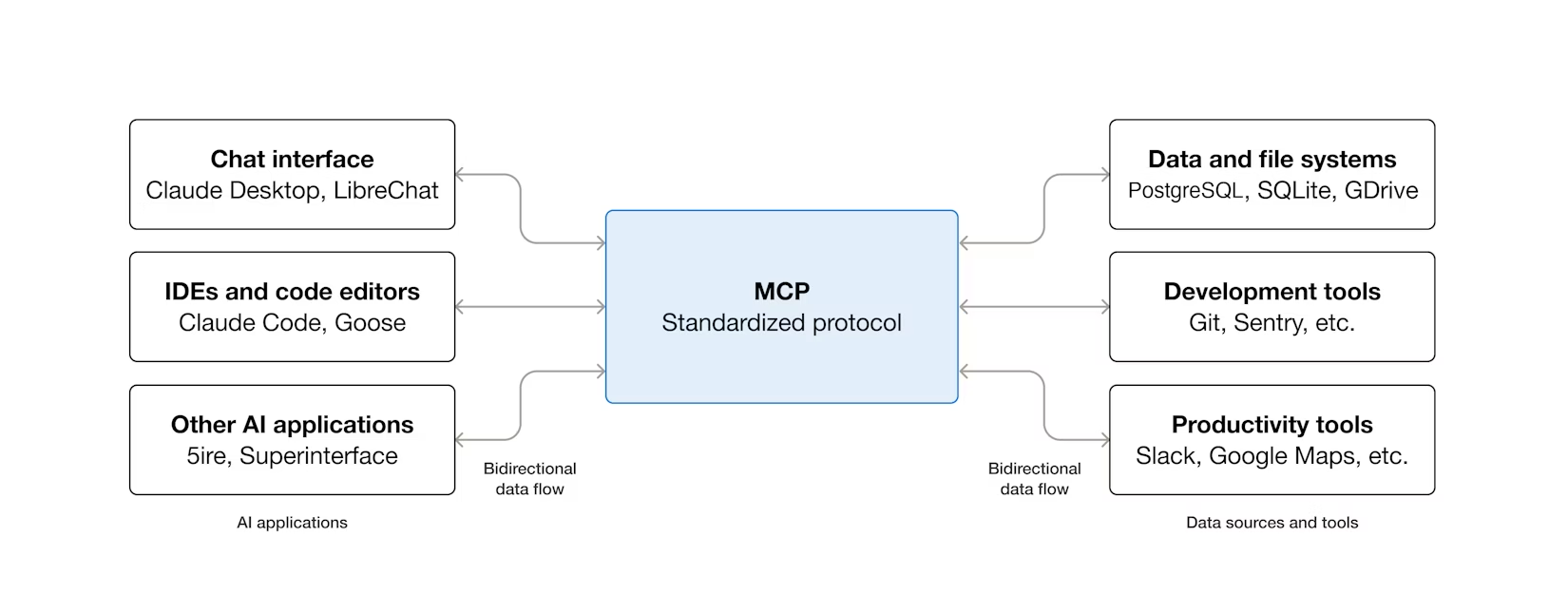
One more name you'll hear constantly: MCP, or Model Context Protocol. The short version is that it's an open standard for how agents talk to external systems: fetching data from a data source, running tools, creating and reading files, things like that. It exists because we want a standard that works no matter which vendor we're using, whether you're locked into Microsoft, using Codex from OpenAI, or running Claude.
It's a very big deal in the ecosystem. I've mentioned it in passing on a few previous videos, but I've never done a deep dive on it. This post isn't that deep dive either. For now, just know the name when it flies past you. I can use MCP to connect to my local Obsidian vault to read my notes, or to an external data source like Azure Resource Graph (a queryable database over my entire cloud environment), and a lot of other things.
How to drive an agent so it doesn't produce sludge
People write a vague prompt, the agent runs for ten minutes, and produces something that looks right and is subtly broken. They blame the model. This is the single biggest reason teams give up on agents.
There are three things to do on your side of the keyboard. We've already touched on the first one.
1. Always include a Definition of Done
The loop terminates on Definition of Done. If you don't write one, the agent invents one, and it almost always picks "done" too early (or sometimes runs longer than it needs to). Depending on what you're doing, that's usually not what you want.
Just adding a literal ## Definition of Done block to your prompt measurably improves results. It's a free win, and almost nobody does it.
2. Tell the agent the why, not just the what
A definition of done is more of an acceptance-criteria checkbox. The why behind what you want is different. It enables the LLM to reason about whether there are alternatives to what you're trying to achieve.
Instead of "Add a retry loop here", say "Add a retry loop here because this endpoint keeps failing, and I can't run requests here in parallel because it returns an error saying the resource is already updating." Now the model can think: okay, but you could actually do this in a completely different way, or use a different resource or product, and you won't have that problem at all.
If the model only sees the spec, it can only execute the spec. Give it the motivation and it can propose something better.
3. Get on the same wavelength before writing code: /grill-me
This is the one I want you to take away if nothing else.
Matt Pocock built a skill called grill-me and I stole it immediately. It interviews you relentlessly about every aspect of your plan until you reach a shared understanding with the LLM.
Matt's wording is precise on purpose. A normal "plan mode" session asks a few clarifying questions and you walk away thinking, "yeah, those were things I hadn't thought about." But there's still a lot about the plan that isn't fleshed out, and your confidence is low. /grill-me is different. It walks down each branch of the design tree. It thinks about dependencies, asks one question at a time, and gives you a recommended answer alongside the question so you can either agree or push back.
I've had sessions that ran 30 minutes, sometimes an hour and a half, sometimes two hours. It's a lot of cognitive effort, but you come out the other side in such a strong shared understanding that you're not going to end up six hours later thinking "what I'm building is so far from what I actually wanted to build." That's the failure mode it kills.
The killer instruction inside it is: if a question can be answered by exploring the codebase, explore the codebase. So the agent does its own homework instead of pestering you about things that are already in the repo. It's also a really useful line to drop into your own everyday prompts.
The skill itself is tiny. It's pure markdown, no fancy references, so installing it is just: create a folder called grill-me, paste the file in as SKILL.md, done.
The wall everyone hits: managing the context window
So now we understand the difference between an agent and a chatbot, we have AGENTS.md, and we have skills. That's all well and good. It doesn't mean you'll never hit issues.
Your agent gets smarter for a while. You keep iterating on AGENTS.md, you use great skills, and everything is fine. Then it starts forgetting things, repeating itself, and making decisions that contradict things you decided ten minutes ago.
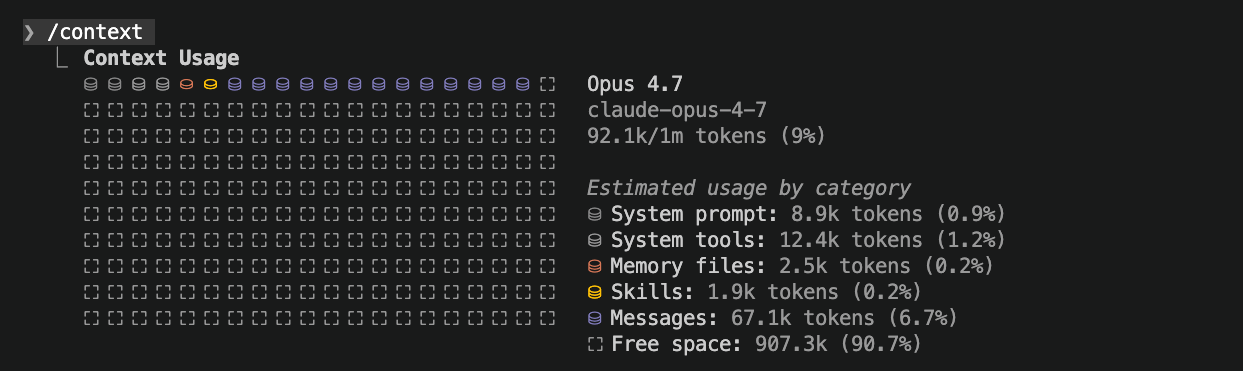
These are real pain points. The cause isn't a bad prompt or bad skills. Your AGENTS.md, your skills, every message you send, every file the agent reads, every tool result, every chat turn: all of it is drawn from the same finite pool, the context window.
In one of my chats, there's a little status bar at the bottom that shows I'm using a model with a 160K-token window, and right now I'm at 12% (about 19.5K tokens). That's because I haven't done much in this session yet. With a huge project or a long-running session, that number grows fast.
Why does it matter? The closer you get to the ceiling of the window, the worse the agent's performance gets. Once you surpass the max, your agent will automatically compact the conversation, which is a summary-and-trim. That's when it starts forgetting. The progressive worsening you feel after a long session is unmanaged context.
Strategy 1: hand off to a fresh session before you hit the wall
Let's pretend 19.9K tokens is "almost at the max" for the sake of the example. Before you tip over the edge, tell the agent: "Now summarise everything we've done into a summary.md file. We'll feed it into the next session."
You could say the agent is doing roughly what auto-compaction would do anyway: it won't put everything in word for word, it'll compress. The key difference is you're in charge of when this happens. If you do it ahead of time, the summary is going to be good. If you wait too late, it won't be.
Then you open a fresh chat and say: "You've been given the handoff summarised here", point it at summary.md, and continue. The new session starts at maybe 18K tokens instead of 40K, and you stay in what some people (Matt again) call the smart zone, before the dumb zone kicks in.
The rule of thumb people throw around: not all tokens are created equal. There's a concept called context rot. Some say past 30-40% of the window the quality drops; others put it around 100K tokens. Whichever threshold you trust, the practical move is the same: write a handoff while you're still in the good zone, then reset.
If you're using Claude in the terminal, /context will tell you how much you've used. The Copilot CLI has the same command, though the numbers report a little differently. Both also support /clear for a complete reset. The pattern I run constantly: write a handoff file, /clear, open a fresh session pointing at the file.
Strategy 2: subagents
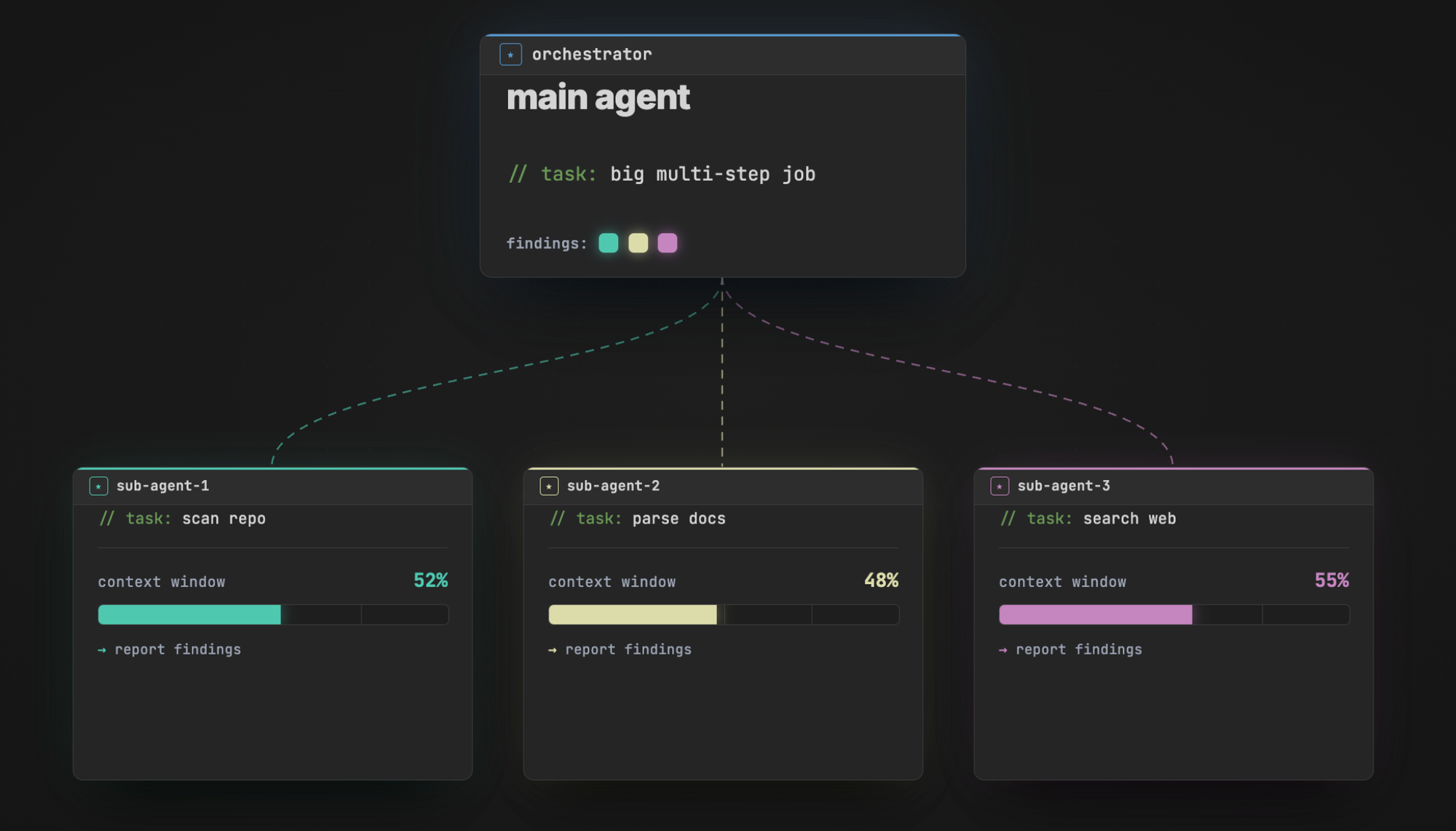
A different way out of the context problem is subagents. If you have a super-large task, you can either ask the agent to spawn subagents, or sometimes it'll do it on its own. The subagent gets its own isolated context window, runs its own loop on its piece of the task, and reports a one-paragraph summary back to the main (orchestrator) agent.
The benefit: maybe the subagent consumes 50% of its own context window doing the work, but the orchestrator only ever sees the summary. Spawn five or ten of these and the main thread ends up with a lot of insight without having burned anywhere near as much of its own window.
Strategy 3: multi-agent coordination
Subagents solve context. Once you can spawn agents, the next question is: how do they talk to each other?
I lean on two skills here, both built by Nick Saraev and both public.
The first is called multi-agents. It spawns several agents (say ten) in parallel with the same prompt but slight framing variations. One agent is "neutral", one is "risk-averse", one is a contrarian, one is data-driven, and so on. They all receive the same problem statement, generate their responses independently, and then we aggregate them by consensus. The way you filter out hallucinations is to discard anything only one agent says.
I asked it: "What is the best course of action for my YouTube channel in the age of agentic AI in 2026? Should I stick to IT fundamentals, move further towards AI content, do a hybrid, or do something completely different?" Ten agents spun up in parallel with different framings, each thought about it, then the orchestrator aggregated everything into a consensus report. The verdict was unanimous on a hybrid IT-plus-AI approach (the contrarian agent did rank IT fundamentals second instead of AI content second, which is what made the report interesting). You can imagine using this for career decisions, architectural choices, anything where you want a panel of perspectives.
The second is called model-chat. Same setup but, crucially, the agents share a chatroom. They post into a shared chat.json file, they read each other's positions, and they debate.
I asked: "What is the best infrastructure-as-code language in 2026? You are not allowed to say it depends. We need a winner." Three agents spawned: an architect, a pragmatist, and a third role. In round one, the architect picked Pulumi; the other two picked Terraform / OpenTofu. In round two they all read each other's positions and refined their views. Sometimes they hold their ground (they're as attached to their first response as a human author is to their own code), sometimes they change their minds. After a few rounds, they converged on OpenTofu, with a note that Pulumi's testing story is genuinely superior.
That's the pattern: multi-agents for stochastic consensus (independent vote), model-chat for adversarial debate (they argue until they converge). Both are just SKILL.md files. Everything we covered in the building-blocks section, agents and skills, is what made this demo possible.
A loop-back to AGENTS.md
Now that we understand the context window, let's loop back to AGENTS.md.
I made this mistake myself. I kept iterating on the file. Every time the agent did something I didn't like, I added another instruction. The file grew. The result: by the time I sent my first message in a brand-new session, I had already consumed 30 to 40K tokens just from the role file. And the LLM has a limit to how many instructions it can actually track.
So my mindset has shifted. I try to keep AGENTS.md very minimal. Instead of huge chunks of text describing how I want things to work, I leave breadcrumbs. "If you're trying to do X, read this other document." If that path isn't relevant for the current task, none of that text gets pulled in, and I save the tokens. If you are familiar with Matt Pocock's work, then you can see where I'm getting my inspiration from, but it all makes sense when you think about it.
Be hard on what goes into AGENTS.md. There should really only be things you desperately need. A short paragraph about what the project is, pointers to important documentation, not much else.
Where to find skills and how to install them
You've seen what skills can do. Three places to start.
First, the open standard: agentskills/agentskills on GitHub (and the companion site at agentskills.io). That's the cross-vendor reference catalogue. Still early, but worth keeping an eye on if you're building skills for your team.
Second, Anthropic's own example library: anthropics/skills. Curated, well-documented, great to learn from.
Third, for the Copilot side of the house: github/awesome-copilot. Same idea, Copilot-flavoured. You'll find agents, instructions, and skills for everything from code-base knowledge acquisition to agent governance.
And the two skills I demoed in the previous section, model-chat and multi-agents, are in Nick Wells/Saraevs's repo. Massive credit to him.
Installing is dead simple. The most basic path: skills are just markdown. Find one you like, drop it into a folder named after the skill, save it as SKILL.md. Done.
Some skills also let you install them via npx, which is nice if you're working collaboratively. When you install that way, you get a skill-lock.json written into the project, documenting which version and source you're using. Anyone who clones the repo gets the same skill, pinned to the same version.
A lot of skill catalogues also have a create-skill skill, so you can have an agent help you scaffold your own from scratch. The only hard rule is the YAML frontmatter at the top: that's what the agent parses to decide whether the skill is relevant. Everything else after that is just markdown.
Each agent has its own install location (Copilot's path is different from Claude's, which is different from Cursor's). Check your agent's docs for the exact directory. The file is the same. That's the whole point of the open standard.
Wrap-up
That's the whole picture. The loop is what makes an agent an agent. The building blocks (AGENTS.md and SKILL.md) are how you configure it. Definition of done, the why, and /grill-me are how you drive it without producing sludge. Subagents and multi-agent patterns are how you scale around the context-window wall.
I'll be doing a full breakdown of Azure Copilot's six specialist agents and where Microsoft Foundry fits at some point. If you want MCP, evals, or the cost side covered first, let me know.
Big credit to Matt Pocock for /grill-me (and a stack of other skills I use daily) and to Nick Saraev/Wells for multi-agents and model-chat.