How to Automate Terraform with Agentic AI
I just automated my entire Terraform workflow using an AI agent, and in this post I'm going to show you exactly how. AI coding assistants have been around for a while now, and many of us use them as regular chatbots. You ask a question, you get an answer. But there is a completely different way to work with AI, using agents and skills, and it changes everything about how you write infrastructure as code.
By the end of this post you'll understand the difference between agents and skills, why that distinction matters, how to install and use open-source agent skills with a Terraform project, and the open standard that's emerging around all of this.
I work with Terraform full-time as a consultant, and I've been using agentic workflows to ship infrastructure as code for some time now. It helps me ship code much faster.
This post is the written companion to my YouTube video How to Automate Terraform with Agentic AI. Same material, longer-form. Skim or watch, whichever you prefer. Video linked at the bottom.
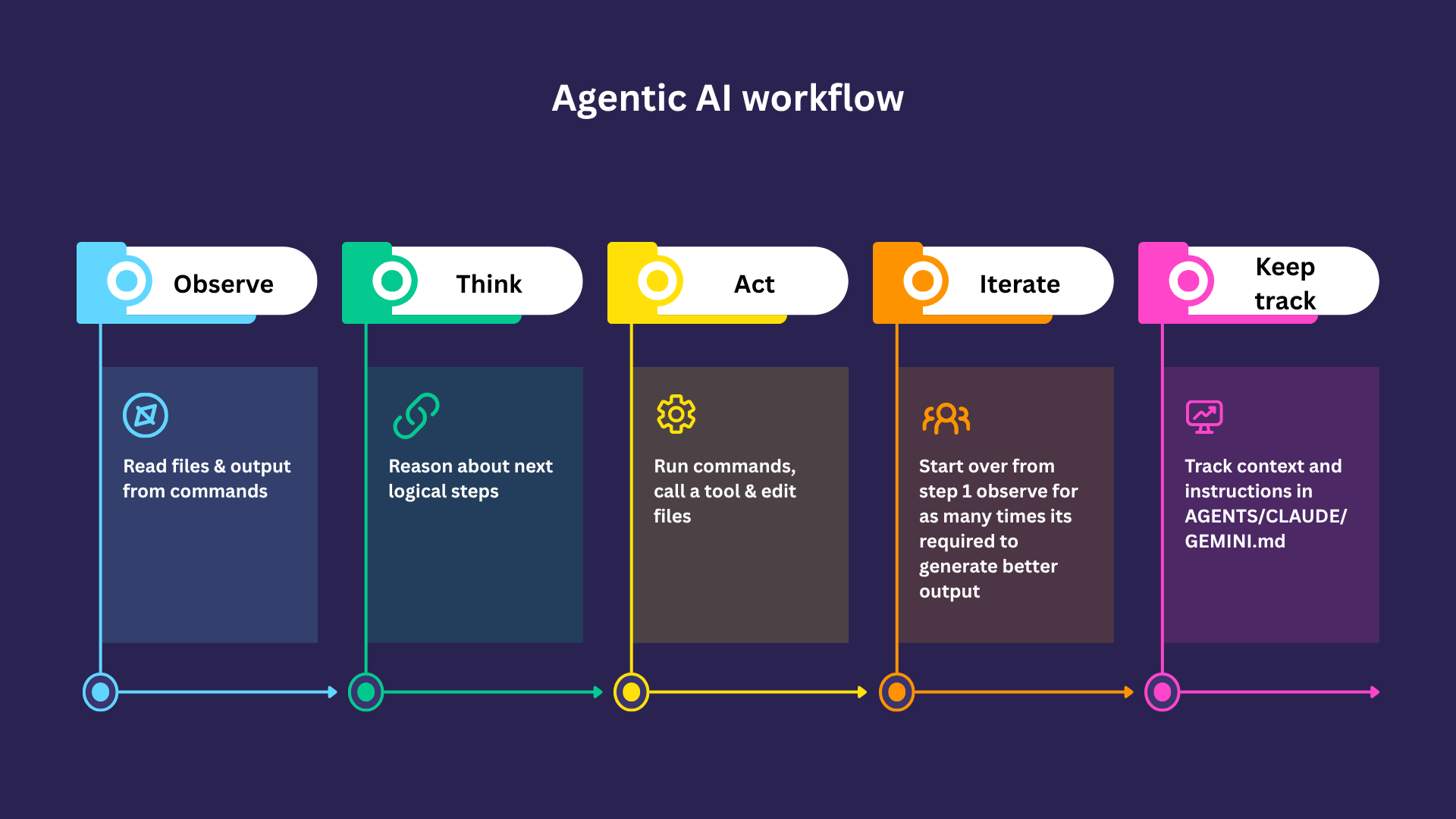
Chatbot vs Agentic AI
Many people use AI as a chatbot. You visit ChatGPT, ask a question, and get an answer. That's useful, but it's limited. You're missing out on a fundamentally different workflow that can run commands, iterate, build context, and write files, all autonomously.
When you talk to a chatbot, you enter a question, the LLM reasons about it, and you get a response. It's a one-shot interaction, or a "turn".
An agent can do that as well, but it can also take in much more context. It can read files related to your project, fetch data from the internet, and keep better track of conversations. If you've ever worked with agents, you've probably seen files like AGENTS.md, CLAUDE.md, or GEMINI.md. Those contain instructions and context the agent uses from the start, so you don't have to re-provide them in every chat window.
Agents vs Skills: the key distinction
People conflate agents and skills a lot, or don't understand the difference. I didn't either at first. The problem is that without this distinction, you can't effectively extend your agentic workflows.
Think of it like this:
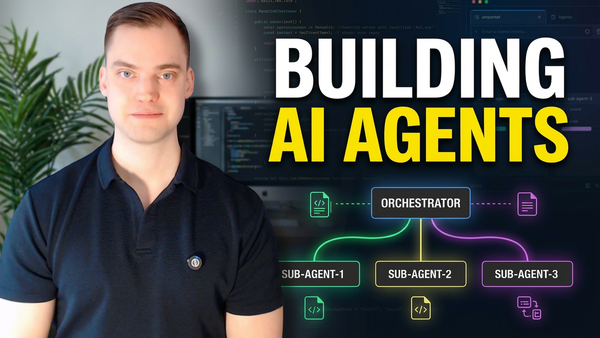
- An agent is the thing doing the work. It has a role or purpose, for example "infrastructure as code expert", "Terraform expert", or "Azure expert". Hiring an agent is hiring someone who is a professional at a job.
- A skill is different. A skill is a specific, detailed instruction on how to perform a particular task, and how to perform it well, or how to perform it the way you want it performed. It contains information about what the skill is and when to invoke it.
Skills are what give agents reusable task knowledge. That's what makes them effective. You also don't have to load every skill all the time, which saves context and keeps the agent focused. A skill is useful for any recurring task. For example, you might have a Terraform Expert agent with a skill called analyse-code-for-security-flaws
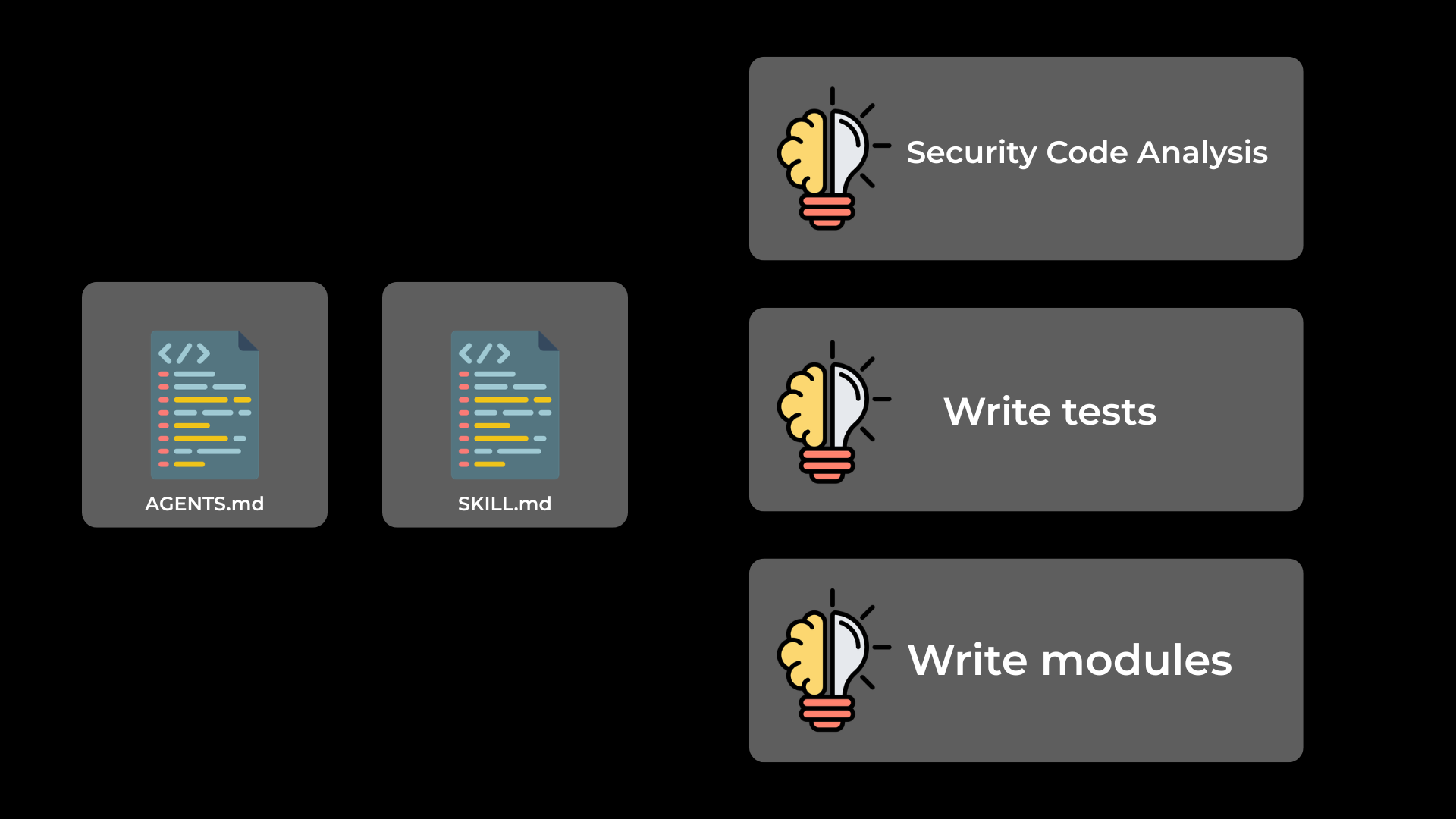
AGENTS.md to get context and SKILL.md when it needs it for specific tasksWhere to get skills: the hashicorp/agent-skills repo
So how do we actually get skills, and how do we use them with Terraform? Without good sources, you'd have to write everything yourself. That's great if you want full control, but it takes a lot of time, and if you've never seen a skill before, you don't even know where to start.
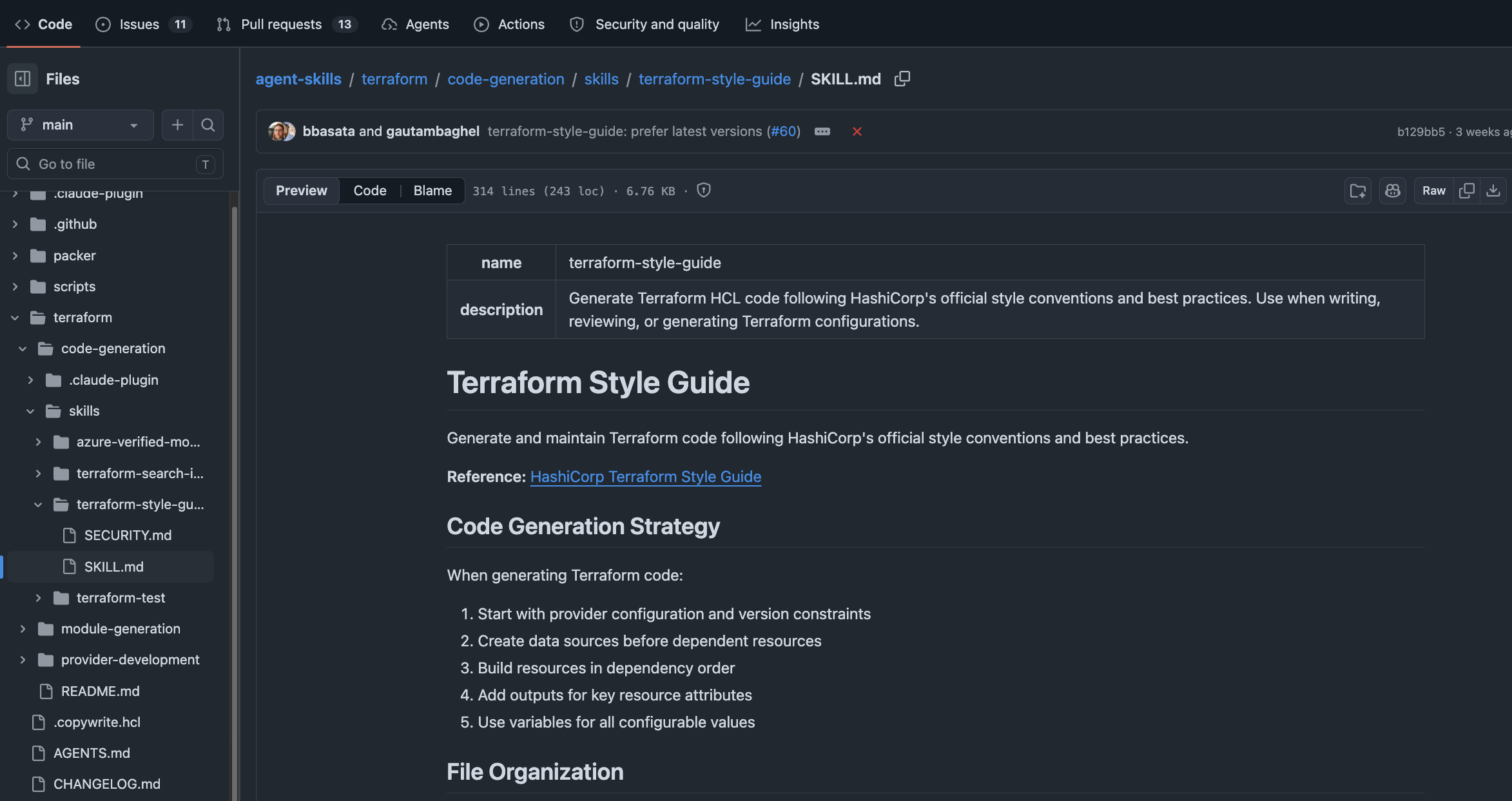
There are a lot of repositories online that help with this. The one I'm using here is the HashiCorp agent-skills repository which provides skills for Terraform and Packer (and probably more over time).
Inside the repo, under code generation skills, there's one called Terraform style guide. A skill lives in its own folder containing a SKILL.md, plus optional subfolders for references, images, and documents. In this case there's just a SKILL.md. Like a lot of things in AI lately, it's all markdown.
You have a few options for installing a skill:
- Copy it manually
- Create a folder like
terraform-style-guide/, drop aSKILL.mdin it with the contents from the repo, and you're done.
- Create a folder like
- Use the
npxinstaller- Run the install command and answer the prompts: install locally (project-only) or globally (available across projects), and pick which skill you want.
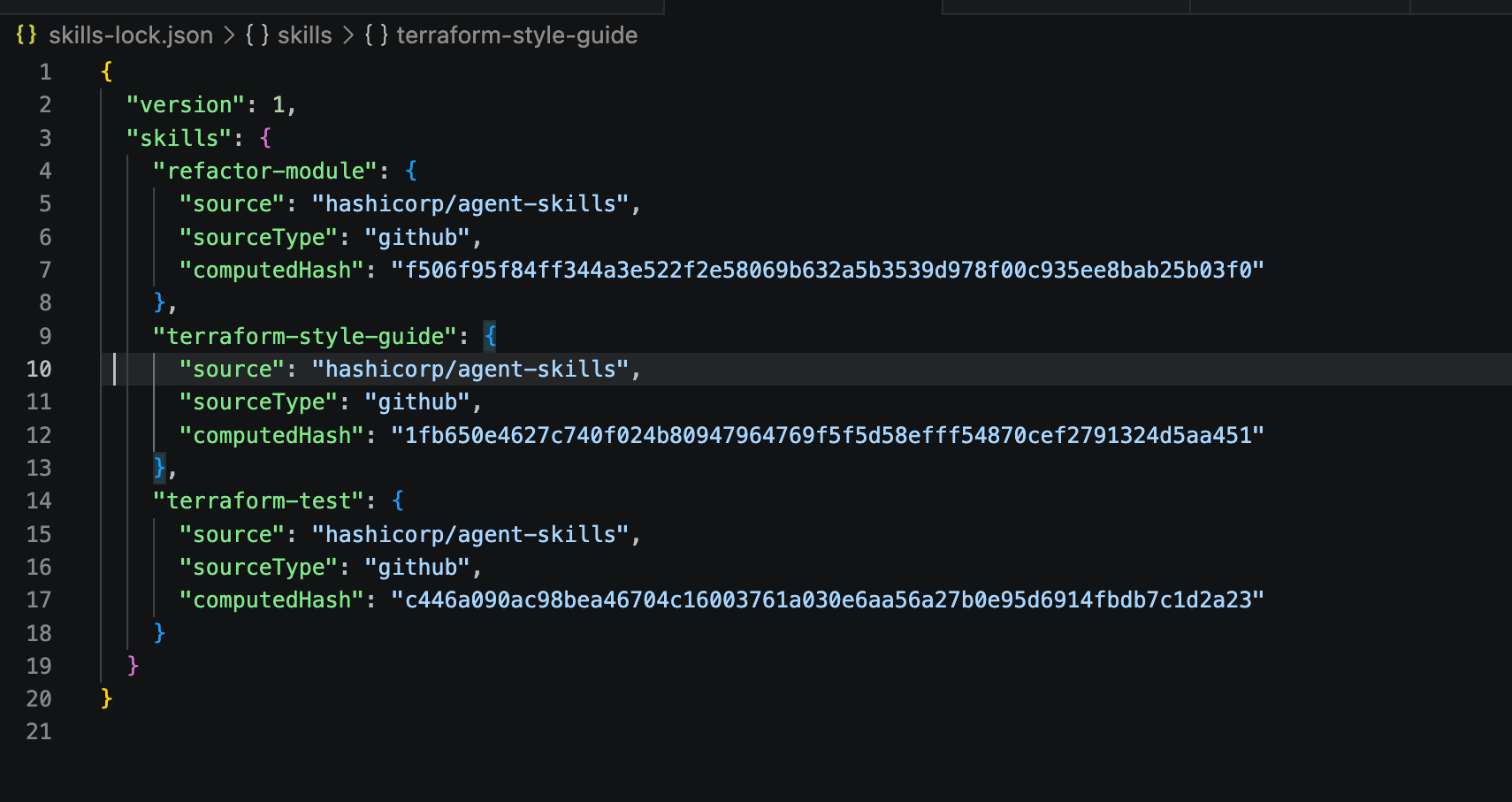
After installation you get a .agents/ folder containing the skill's SKILL.md, plus a skills-lock.json. The lock file is useful when you share the project: it records which skill came from which source at which version, so collaborators end up with the same skill you do.
Demo 1: generating a Terraform project with the style guide skill
The plan for the demo is to do three things:
- Have the agent write a small Terraform project for us.
- Have it write unit and integration tests.
- Turn the result into a reusable module.
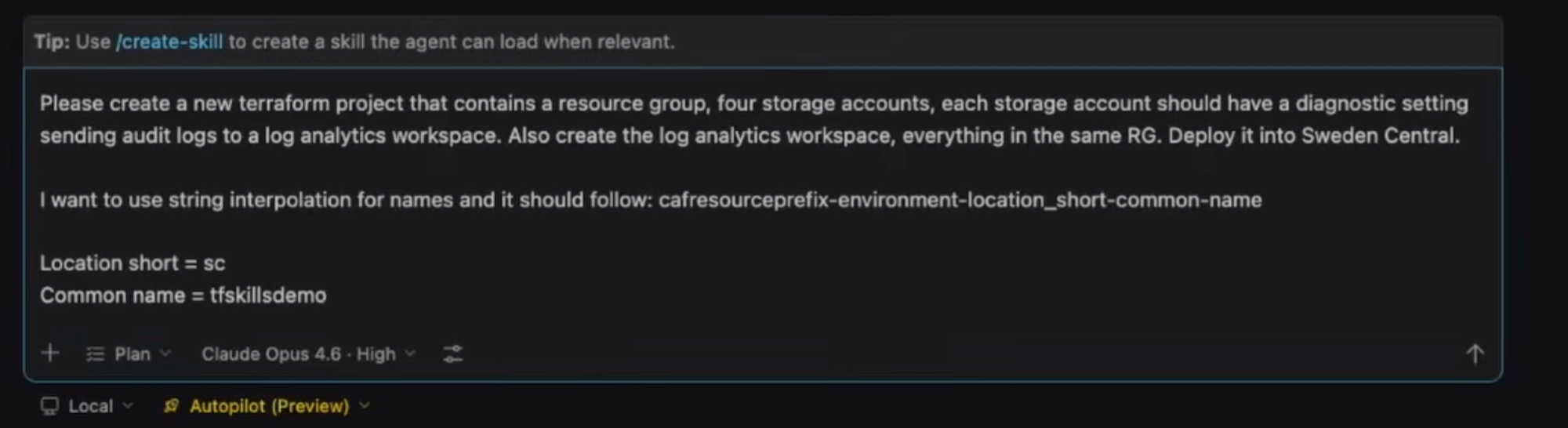
For step one, I open a fresh project, switch the agent to plan mode and then to autopilot, meaning it's allowed to write any files it wants and run any commands it needs. Then I give it this prompt:
Please create a new Terraform project that contains a resource group, four storage accounts, and each storage account should have a diagnostic setting sending audit logs to Log Analytics. Put everything in Sweden Central. Naming should follow CAF: prefix, environment, location short, common name. Use the Terraform style guide skill to generate the project.
The key thing is referencing the skill at the end. The agent reads the style guide, sees my message, plans the project, and starts working.
It produces a plan (resource group, log analytics workspace, storage accounts, diagnostic settings, plus the files it intends to create) and then implements it. It opens a hidden terminal, runs terraform fmt, terraform init, and terraform validate, and reports everything succeeded.
The skill influenced the scaffolding. By default it created a terraform.tf and a providers.tf, because the skill says that's the convention. I personally prefer the provider/terraform blocks at the top of main.tf, so I ask it to merge them:
Remove those files and place that config at the top of main.tf.
It merges both blocks correctly. The agent is opinionated, but you're still in charge.
A few small editorial passes after that:
- A
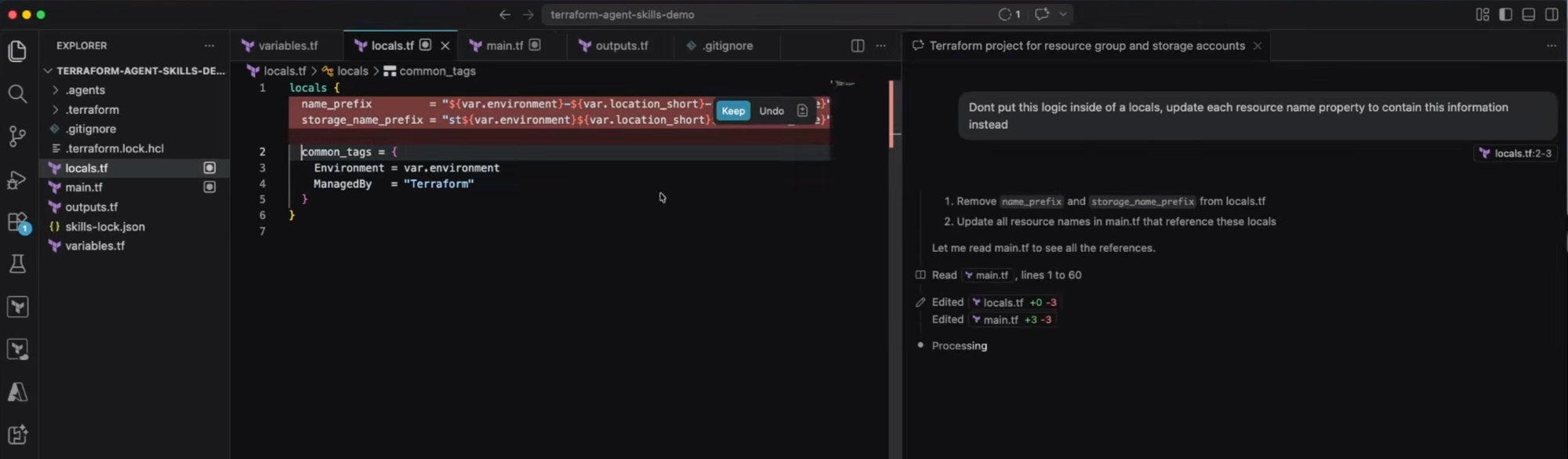
localsblock was introduced for naming logic. For a tiny bit of code I prefer the values inlined into each resource'snameproperty, so I select the lines and tell the agent to do that instead. - The skill produced sensible
variables.tfcontent, including avalidationblock onenvironment, which will pay off when we write tests. - The storage account uses
for_eachover astorage_accountsvariable defaulting tosa1throughsa4. Diagnostic settings do the same. Note that this only wires up diagnostic settings for the blob service. If you want files, tables, or queues too, you'd have to ask for it, and you'd probably end up with aflattenover two lists, which is annoying to read but fine.
The result is a working Terraform project produced from one prompt plus a skill.
Demo 2: unit and integration tests with the terraform-test skill
Now I want tests. I install another skill from the same repo, terraform-test, the same way as before. After installation I can see terraform-test listed alongside the style guide under .agents.
The prompt is short:
Please write unit and integration tests for this Terraform project using the terraform-test skill.
Why is this much better than asking the chatbot to "write some tests"? Because without a skill, the agent has to make its own assumptions about how to structure the tests. With a skill, we've clearly defined how we want it to work, what the task is, and given concrete examples. The output is much more accurate.
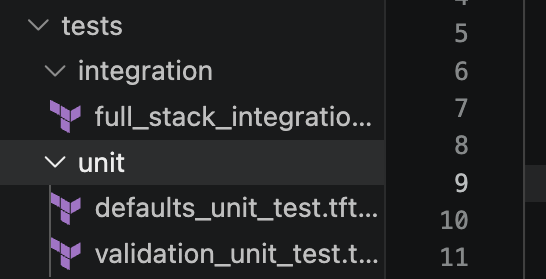
The agent creates a tests/ folder with:
- A default unit test (uses Terraform's plan-mode test runner with a mocked
azurermprovider, so no credentials needed and no real resources). - A validation unit test (asserts that bad input, like an unsupported
environmentvalue, is rejected via the validation block). - An integration test (runs
terraform applyagainst real Azure, then tears everything down).
Because integration tests are slow, I usually split them out so they don't run on every PR. I create tests/unit/ and tests/integration/ and move the files accordingly. That way validations and fast plan-mode tests run on every branch, and integration runs on merges to main.
Quick read of what the tests do:
- Validation unit test. Uses
command = plan, overrides a variable with a bad value, and usesexpect_failuresto assert the validation block fires. Slightly inverted in your head: if Terraform doesn't error, the test fails. - Default unit test. Asserts things like the workspace name equalling
devwhenenvironment = "dev", plus locations and other expected properties. If you change the code and break a naming convention, this catches it.
Running terraform test -test-directory tests/unit flushes out the first real bug: a storage account name is too long. The full name with staging as the environment exceeds the 24-character lowercase-alphanumeric limit Azure enforces. That's an Azure-level rule, not a Terraform syntax rule, which is why terraform validate didn't catch it, but terraform test does. Finding it now is much better than finding it on first apply.
I have the agent replace staging with a shorter token across the code and tests, re-run, and that part passes.
Next failure: an output the unit test tries to read is only known after apply (the Log Analytics workspace ID). That's something to assert in an integration test, not a unit test. The integration tests already cover it. So I remove that block from the unit test, re-run, and everything green.
For the integration test (terraform test -test-directory tests/integration), there's another length issue caused by a different suffix the agent invented for integration. I just paste the error message back into the chat and let it fix it.
The integration test then actually deploys: I can see the resource group and the resources appear in the Azure portal. Once assertions pass, Terraform tears everything down. Refresh the portal and the resource group is gone. Successful end-to-end test.
That's the workflow you want on merges: along with unit tests, integration tests that actually create and destroy real infrastructure.
Demo 3: turning the project into a reusable module
The final step is to turn this project into something a colleague could consume. There's a skill for that too. Back in the agent-skills repo, under module generation, there's a skill called refactor-module. Same install command as before, accept the prompts, and it's in.
Fresh chat, autopilot on:
Use the refactor-module skill to turn this Terraform project into a reusable module.
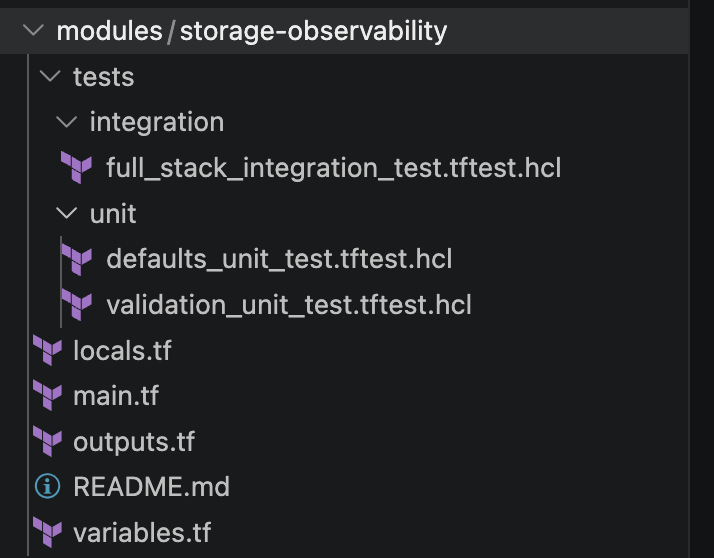
It takes a while, then produces a task list. It restructured the project: my original code is now the consumer of the module, and the actual module lives in modules/storage-observability/. The tests moved into the module folder too.
(Sometimes when I've done this it goes the other way: it creates a small "this is how you would consume this" example under a subfolder and leaves the root as the module. Either way, it's worth checking what it did before accepting.)
The agent reports all 30 tests pass, both root and module. Sixteen files changed. I trust the test run, accept the changes, and read the highlights.
What's in modules/storage-observability/main.tf is now a sensible module surface I could hand to someone else as a starting point. It includes its own terraform.tf (which, again, I'd merge into main.tf; taste). The test directory structure is preserved with unit/ and integration/ separated.
The nicest touch: the agent also generated moved {} blocks. Because I'm no longer deploying the resources directly (I'm deploying through a module), Terraform would normally see all the resource addresses change and try to destroy and recreate everything. The moved blocks tell Terraform "this address is now this address", and the plan stays clean. That's a non-trivial detail to get right by hand, and it's exactly the kind of thing a well-written skill encodes.
Wrap-up
That's agentic AI with Terraform. Agents define the role, skills provide the expert knowledge, and together they give you a workflow that's fundamentally more powerful than the regular chat bot. Install a couple of well-written skills and the agent can scaffold a project, write unit and integration tests, and refactor the whole thing into a reusable module (with moved blocks) in a single afternoon.
If you want a deeper dive on agents specifically, or on skills as a whole, let me know!